Influencer Whitelisting Tool: Run Ads From Creator Handles
- No passwords, ever — approved through Meta
- Creators never sign up
- Revocable at any time
See influencer whitelisting in action
A 60-second walkthrough of the whole flow, from sending the request to running the first ad from a creator's handle.
Run ads from the creator’s handle
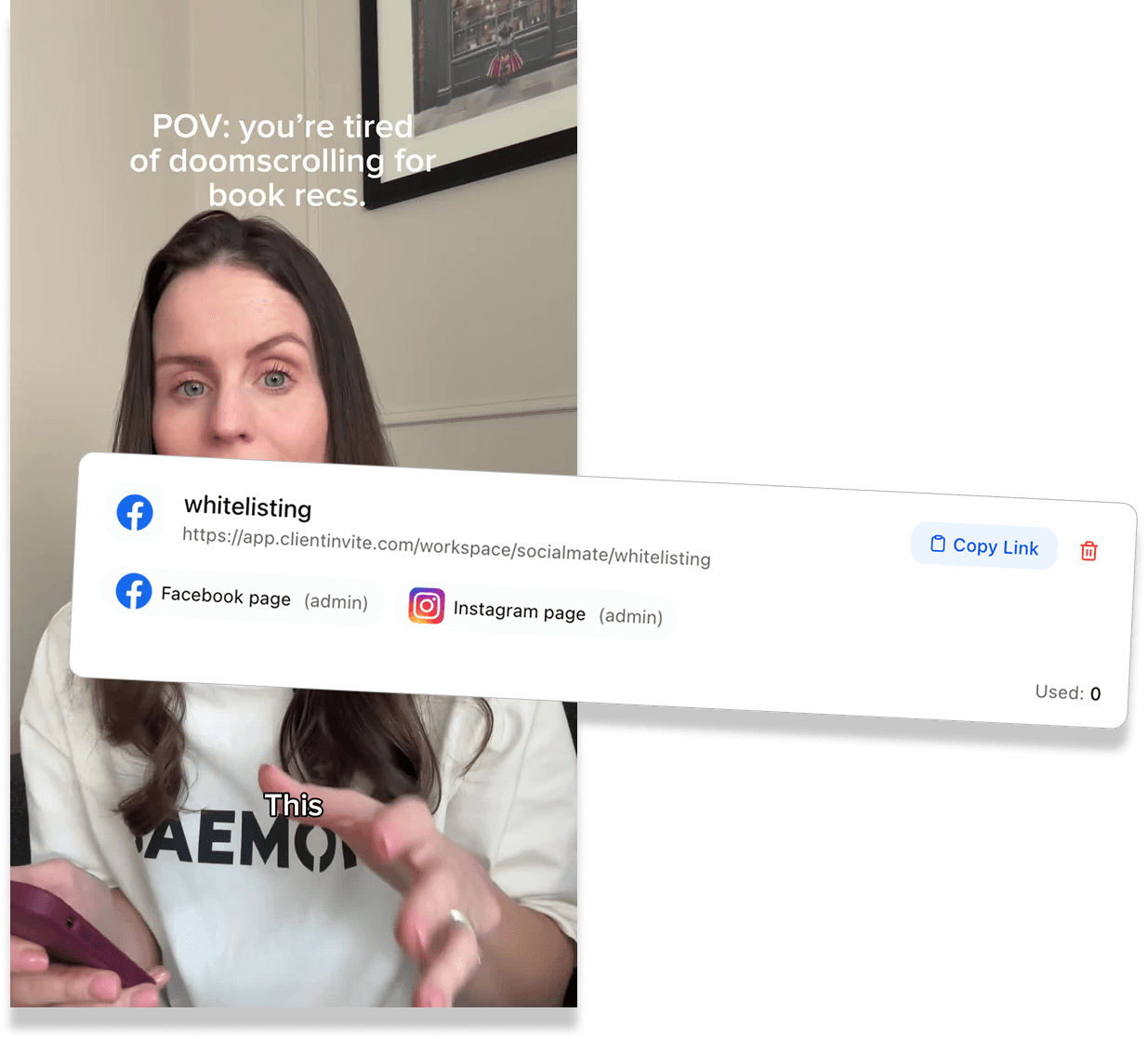
Once access lands, the creator’s assets appear in your Business Manager and you can launch ads that run from their handle — their name, their profile picture, their credibility — while you keep control of targeting, budget and optimisation.
- Assets land in your Business Manager
- You keep targeting and budget control
- Nothing posts to the creator’s grid
Put budget behind the content that works
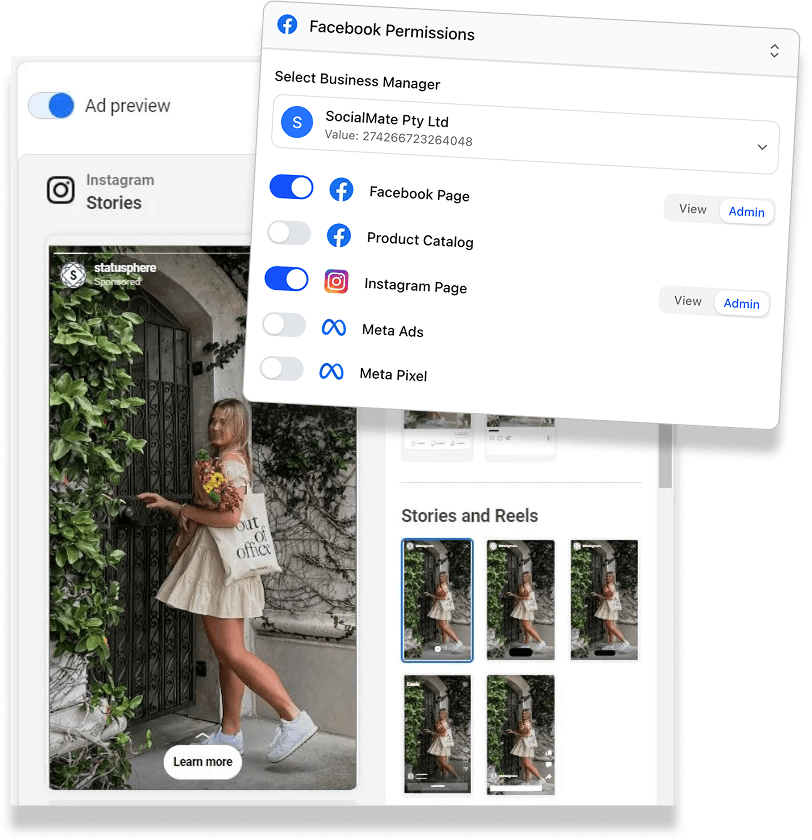
Organic creator posts have a shelf life of about 48 hours. Whitelisting lets you take the one that outperformed and run it as an ad for months, turning a single paid collaboration into an evergreen creative asset instead of a one-off post.
- Extend the life of a winning post
- Test creators against each other on spend
- Keep creative that converts in rotation
Make the request look like it came from you
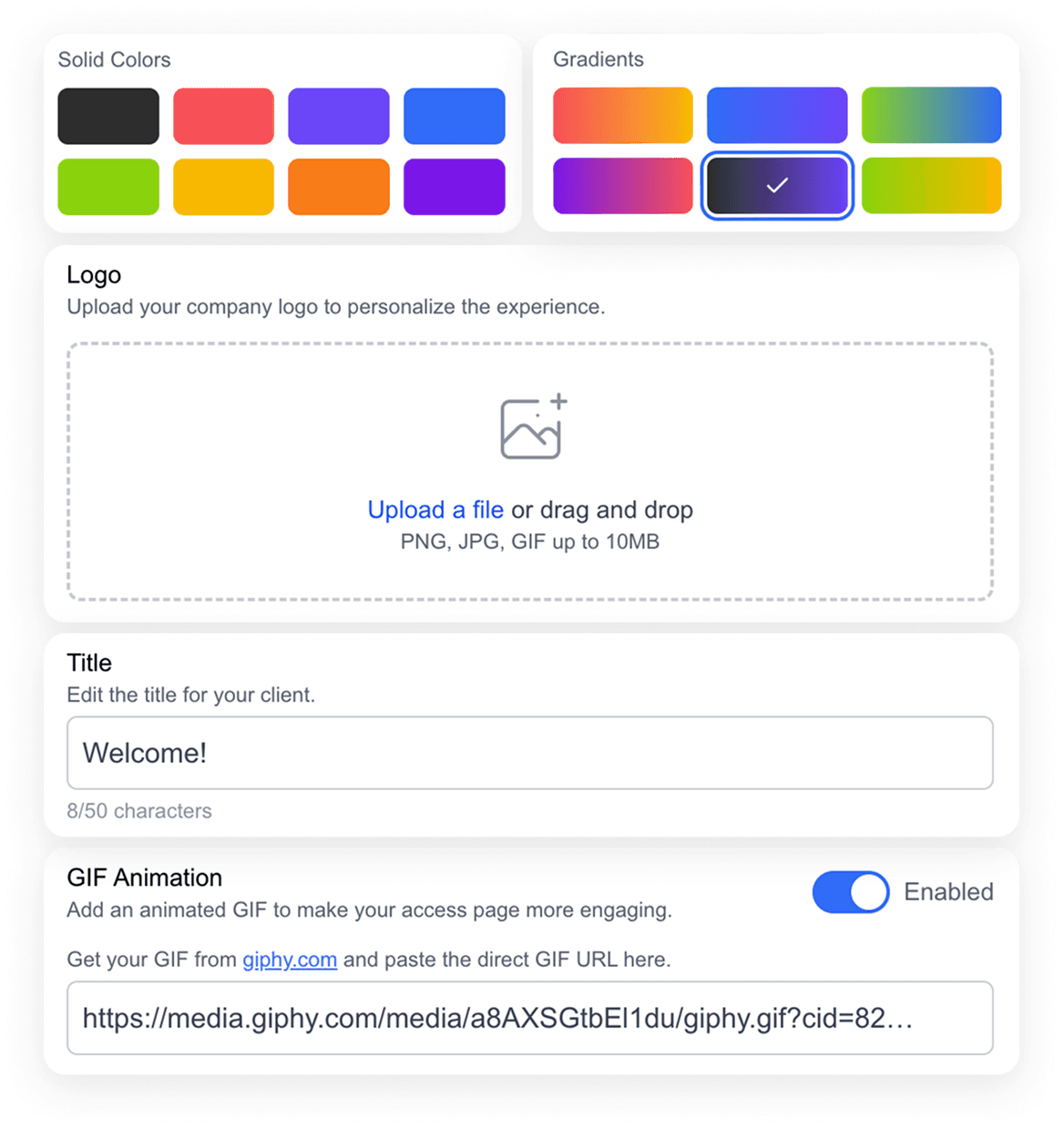
The request page carries your logo, your colours and your wording. For an agency asking a creator they have never worked with to hand over account access, looking like a real company rather than a generic tool is the difference between an approval and an ignored DM.
- Your logo and brand colours
- Custom wording on the request screen
- Creators see your agency, not ours
How to whitelist an influencer
Three steps, and only one of them is the creator's job. This is what one-click whitelisting means in practice: the creator opens the link and approves.
Send your request link
Choose the permissions you need, brand the request page, and share the link with the creator however you already talk to them.
- Share via Instagram DM, email or SMS
- Customisable with your agency branding
- No sign-up for the creator
 Facebook
 Instagram Account
 Facebook Page
 Ad Account
The creator approves
They open the link, log in through Meta’s official flow, and approve exactly the permissions you asked for. No password is ever shared with you.
- Meta’s official secure login
- No passwords change hands
- Usually done in under a minute
Facebookava@avacreates.coInstagram AccountAdminFacebook PageAdminAccess lands in Business Manager
Their Page, Instagram account or ad account appears in your Business Manager, and you can start building ads from their handle straight away.
- Assets appear in your Business Manager
- Launch ads from the creator handle
- Creator can revoke access anytime


What is influencer whitelisting?
Influencer whitelisting — increasingly called allowlisting — is when a creator gives a brand or agency permission to run paid ads from their social handle. The ad shows up in the feed under the creator's name and profile picture, but you choose the audience, set the budget and optimise it like any other campaign.
The reason it works is straightforward. The same creative performs differently depending on whose name is attached to it. From a brand handle it reads as an advert. From a creator the viewer already follows, it reads as a recommendation — and the cost of that difference shows up directly in click-through and acquisition cost.
It also solves the shelf-life problem. An organic creator post does most of its work in the first 48 hours. Whitelisting turns a post you already paid for into a creative asset you can keep running for as long as it converts.
Whitelisting, partnership ads and dark posts
These three get used interchangeably and they are not the same thing. Knowing the difference matters when you are writing a creator contract.
| Term | What it actually means | Whose handle shows |
|---|---|---|
| Whitelisting / allowlisting | A permission model. The creator grants you access to their assets so you can run ads from their handle. | The creator’s handle only |
| Partnership ads | An ad format. The creator tags you as a business partner on a post and you promote it, with a paid partnership label. | Both handles, with disclosure |
| Dark posts | A format description. An ad that never appears on the organic grid or timeline it is served from. | Whichever handle is running it |
Most whitelisted creator ads are also dark posts, which is why the two terms get confused so often.
What you can request from a creator
Ask for what the campaign actually needs. Narrower requests get approved faster, and creators are noticeably more willing to say yes to a scoped ask than a blanket one.
Instagram account
Run ads that appear from the creator’s Instagram handle and pull their existing posts into ads.
Facebook Page
Required for ads served from the creator’s Facebook presence, and for pairing with their Instagram account.
Facebook ad account
Needed when a creator is running spend on their own account rather than yours.
Need something outside creator campaigns? See every Facebook asset you can request access to or the Instagram access guide.
Who uses influencer whitelisting
Performance and paid social agencies
You are running creator ads across a roster of clients, and every day spent chasing access is a day not spent optimising. Whitelisting at speed is the difference between launching a campaign this week and next.
DTC and ecommerce brands
Creator-handle ads routinely outperform brand-handle ads on the same creative, because they read as a recommendation rather than an advert. Whitelisting is how you get the right to run them.
Influencer marketing teams
You already negotiate usage rights in your contracts. This is the piece that turns those rights into something you can actually run, without a technical back-and-forth with every creator.
Creators and talent managers
Granting scoped, revocable access is safer than handing over a login, and it lets you charge for whitelisting rights as a separate line item rather than giving them away.
Why creators say yes to this
The alternative most brands fall back on is asking a creator to share login details, and creators are right to refuse. It hands over everything, it cannot be scoped, and it is impossible to withdraw cleanly.
Access here is granted through Meta's own permission flow. The creator authorises a specific set of permissions, no password ever reaches you, and they keep full ownership of their accounts. If the relationship ends — or they simply change their mind — they revoke it from their own settings without needing to contact you.
That asymmetry is why scoped requests convert better than login requests. You are asking for less, so you get told yes more often. More on how ClientInvite handles access and data.
Influencer whitelisting FAQ
Influencer whitelisting is when a creator grants a brand or agency permission to run paid ads from their social handle. The ad appears in the feed under the creator’s name and profile picture, but the brand controls the targeting, the budget and the optimisation. It usually outperforms the same creative run from a brand handle, because audiences read it as a recommendation rather than an advert.
Yes. Allowlisting is the more modern term for exactly the same arrangement, and a lot of brands have moved to it in contracts and rate cards. If a creator sends you a rate card listing "allowlisting fees", they mean whitelisting.
They solve overlapping problems in different ways. With whitelisting, you get permission on the creator’s assets and run ads that appear from their handle alone. With partnership ads — which many marketers still call branded content ads — the creator tags your brand as a business partner on a post, and the resulting ad carries a paid partnership label showing both handles. Whitelisting gives you more control and a cleaner creator-native look; partnership ads give you explicit disclosure built into the format. Plenty of teams use both.
Not quite, though the terms get used interchangeably. A dark post is any ad that does not appear on the organic feed or grid it is served from — it describes the format. Whitelisting describes the permission that lets you run one from someone else’s handle. Most whitelisted creator ads are dark posts, which is why the words get mixed up.
No. That is the main reason creators approve these requests quickly. They click your link and authorise it with the Facebook or Instagram login they already use. There is no ClientInvite account to make, no password to set, and nothing to install.
Yes. Access is granted through Meta’s official permission flow, so no password is ever shared with you and the creator keeps full ownership of their accounts. They approve a specific, scoped set of permissions rather than handing over blanket access, and they can revoke it at any time from their own settings without contacting you.
You can request a creator’s Instagram account, their Facebook Page, and their Facebook ad account. Which ones you need depends on the campaign: running ads from an Instagram handle needs the Instagram account and usually the connected Page, while spending through a creator’s own ad account needs ad account access as well.
The creator’s side is usually under a minute. The realistic bottleneck is not the technology — it is how long the creator takes to open your message. Sending a single link they can approve on their phone removes almost every other source of delay, which is why campaigns that used to take days of back-and-forth now launch the same day.
At any time, from their own Meta settings, without going through you. That is a feature rather than a risk: creators approve scoped, revocable access far more readily than a permanent handover, so asking for it this way gets you more yeses.
For the creator, close to it: they open your link, log in through Meta and approve the permissions in one flow, with nothing to install and no account to make. On your side there is one link to create and send. There is no Business Manager partner setup, no Business ID to exchange and no password to collect, which is what most people mean when they look for one-click whitelisting tools.
TikTok’s equivalent is Spark Ads, which uses a different mechanism — the creator generates an authorisation code for a specific post rather than granting account access. ClientInvite currently covers Meta assets for whitelisting, so for TikTok you will still collect Spark Ads codes from the creator directly.