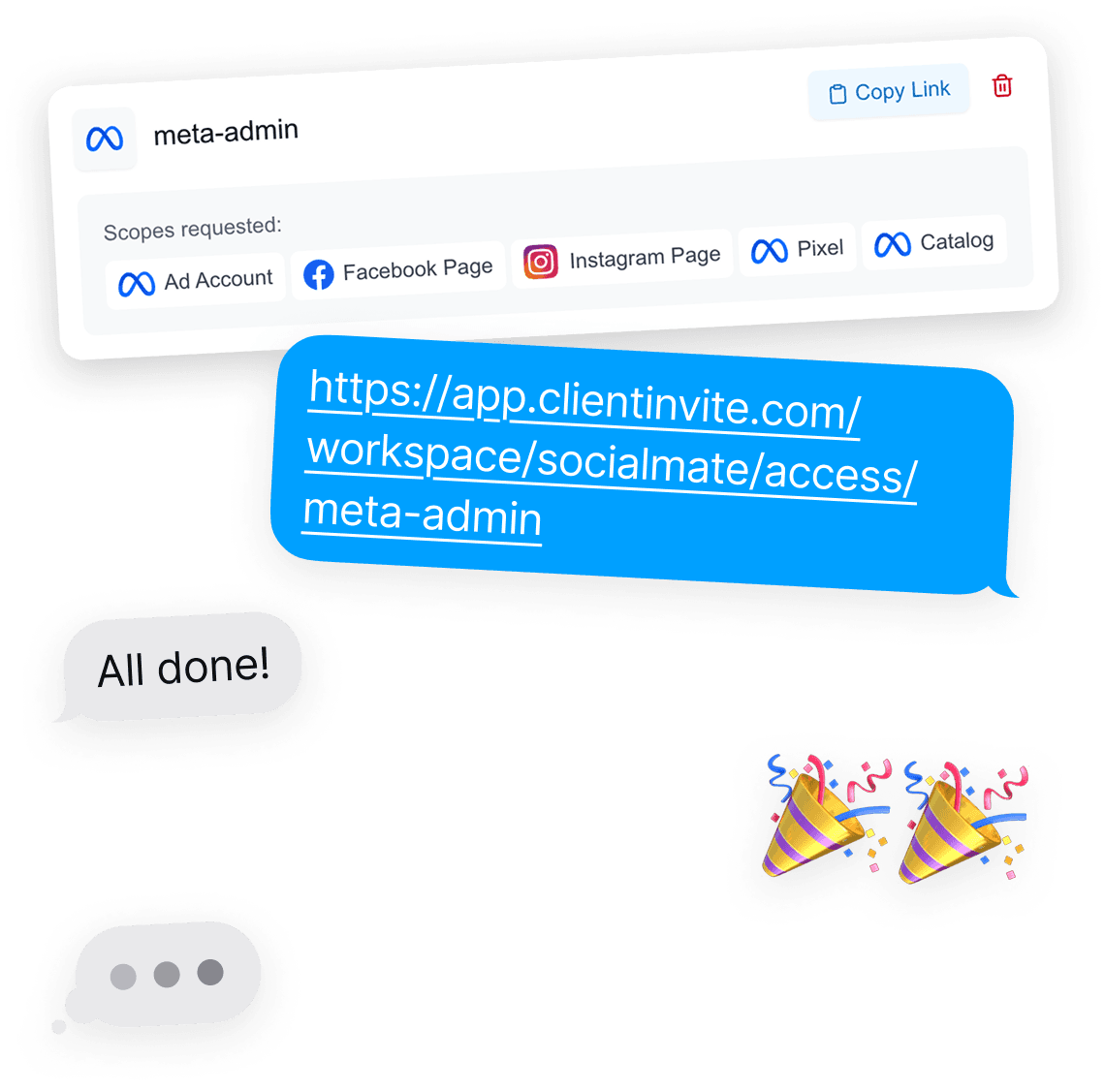
One-Click Access for Influencer Whitelisting
ClientInvite logo

VS

Leadsie logo

The Best Leadsie Alternative for Marketing Agencies
Don't settle for a less user-friendly platform while paying double the price. Below: a full feature-by-feature, price-by-price comparison so you can decide for yourself.

Updated July 2026 · pricing checked against leadsie.com

The 30-second summary

  • ClientInvite starts at $29/mo vs Leadsie's $59/mo — about 51% less.
  • Unlimited connections: $89/mo flat. Leadsie has no unlimited plan — its largest tier is $299/mo for 30 credits plus $50 overage packs.
  • Both cover Meta, Google, Shopify and LinkedIn — ClientInvite adds a Shopify Partner/collaborator flow; Leadsie covers more long-tail platforms (WordPress, YouTube, Pinterest).
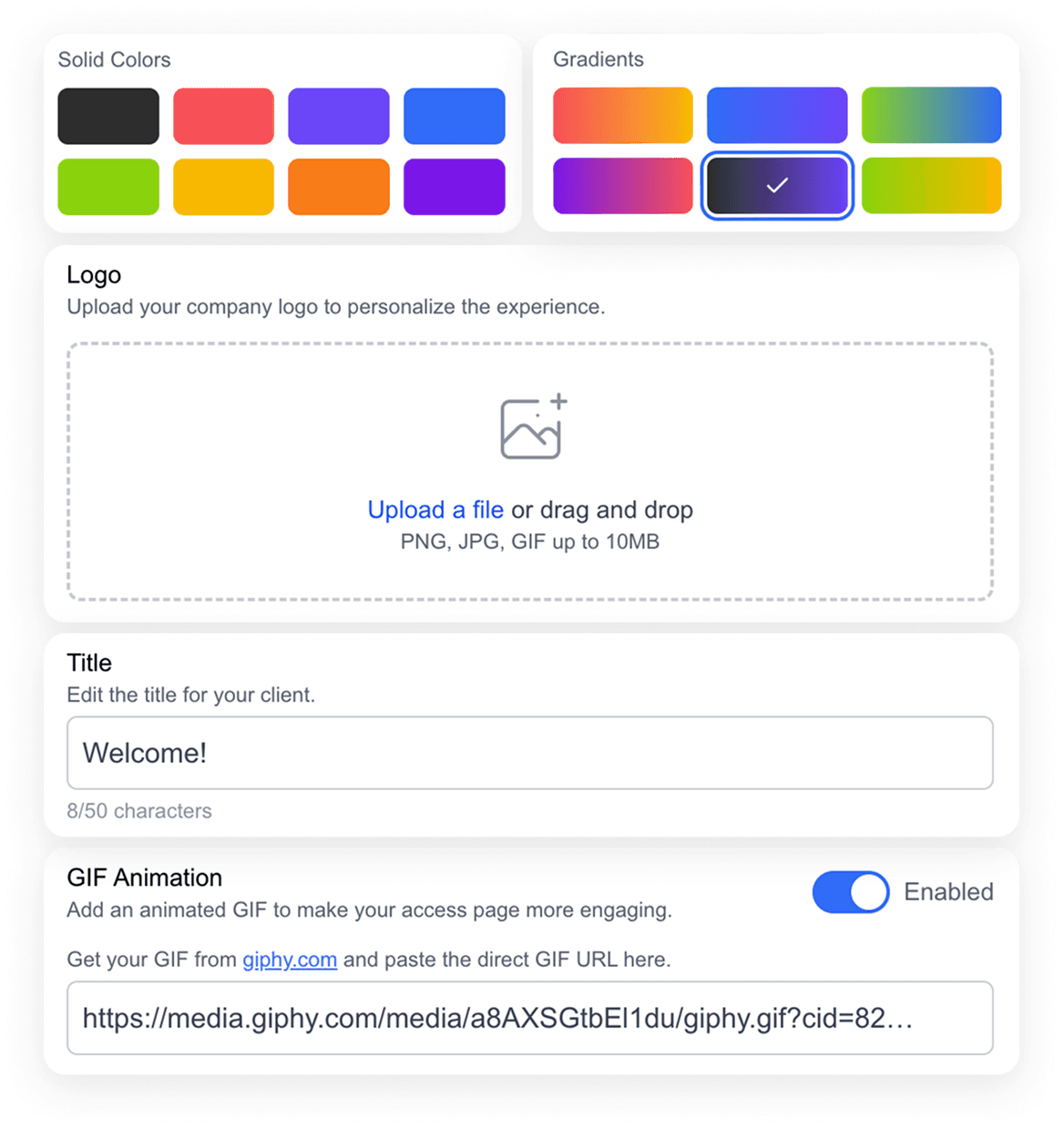
  • Deeper branding customization: logo, colors, copy and GIF vs Leadsie's logo and colors.
  • Nothing to migrate if you switch — access lives in the ad platforms, not the tool.

The problem both tools solve

If you run a marketing agency, you already know the drill. A new client signs, and instead of getting to work you spend the first two weeks chasing access: a Zoom call to walk their office manager through Business Manager, a Loom video explaining where the Pixel settings live, a thread of "which email did you send the invite to?" messages, and a PDF guide that was outdated the moment Meta moved the menu again.

Client onboarding is the first impression your agency makes, and manual access-chasing makes that first impression slow and clumsy — for both sides. Every hour spent on it is an hour not spent on the work the client is actually paying for.

Link-based access tools — ClientInvite and Leadsie both — fix this the same way: you send your client one branded link. They click it, log in to their own Facebook or Google account, and approve the request through each platform's official OAuth permission system. You get exactly the access levels you asked for, in minutes, and nobody ever shares a password. The question isn't whether this category of tool is worth it. It's which one fits your agency — and that mostly comes down to pricing model, client experience, and the platforms you actually use.

How they compare

Leadsie vs ClientInvite

Specific values, not vague checkmarks. Where Leadsie is equal or ahead, the table says so — Leadsie facts checked against leadsie.com in July 2026.

Feature
ClientInvite logoClientInviteRecommended
Leadsie logoLeadsie
Starting price
$29/mo
$59/mo
Unlimited connections
$89/mo, truly unlimited
No unlimited plan — Pro is $299/mo for 30 credits
Pricing model
Flat plans, no per-client credits
Credit-based, $50 overage packs (credits roll over)
Annual discount
20% off
2 months free
Free trial
14 days, no credit card
Meta / Facebook assets
Ad accounts, Pages, Pixels, Catalogs, Instagram
Yes — comparable coverage
Google
Ads, GA4, Tag Manager, Search Console, Merchant Center, Business Profile
Yes — comparable coverage
Shopify
Yes, incl. Partner / collaborator access flow
Yes
LinkedIn
Company Pages + Ads
Yes
Other platforms
WordPress, YouTube, Pinterest, X, HubSpot, Klaviyo & more
Influencer whitelisting (Meta)
Yes
Yes
Branding customization
Logo, colors, custom copy, GIF, hide/show elements
Logo + brand colors
Client accounts required
No
No
Passwords stored
Never
Never
API & webhooks
Yes, on the Agency plan
Yes, on higher plans
GoHighLevel
Via webhooks (GHL accepts them natively)
Unverified — check leadsie.com

Seen something out of date? Tell us and we'll fix it — this page is only useful if it's accurate.

51%
Cheaper Monthly Plan
Modern
Onboarding Screen
Unlimited
Connections at $89/mo
Brandable
Heavily Customizable

Leadsie pricing vs ClientInvite pricing

The biggest practical difference between the two tools isn't a feature — it's the pricing model. Leadsie charges per client via credits. ClientInvite charges a flat monthly fee. Here are both, in full.

Leadsie's plans

PlanBilled monthlyBilled yearlyModel
Starter$59/mo$49/moOnboarding credits per month
Agency$129/mo$107/moMore credits + teams
Pro$299/mo$249/mo30 credits + API access

Run out of credits mid-month and you buy overage packs at $50 each. To Leadsie's credit: unused credits roll over, and annual billing gives you two months free. Figures checked against leadsie.com/pricing in July 2026.

One nuance worth understanding before you compare quotes: Leadsie distinguishes between onboarding credits and audit credits. An onboarding credit is consumed each time a client grants you full manage or admin access; view-only audit access draws from a separate, larger pool. If your agency mostly runs audits, that distinction works in Leadsie's favor. If you're onboarding paying clients with full access — which is the normal agency case — the onboarding credit cap is the number that actually constrains you, and it's the one the plan prices above are built around.

ClientInvite's plans

PlanBilled monthlyBilled yearlyModel
Freelancer$29/mo$23/moUp to 3 connections per month
Agency$89/mo$71/moUnlimited connections, API & webhooks

Both plans include a 14-day free trial (no credit card) and a 30-day money-back guarantee. Full details on the ClientInvite pricing page.

What the difference means in practice

Credit pricing punishes your best months. Say you land a group of franchise locations and need to onboard 15 clients in one month. On Leadsie's Agency plan you'd burn through your monthly credits and start buying $50 overage packs — your onboarding costs spike in exactly the month your workload does. On ClientInvite's Agency plan the bill is $89 that month, the same as every other month, whether you onboard 2 clients or 50.

And at steady state the totals aren't close: unlimited onboarding on ClientInvite ($89/mo) costs 70% less than Leadsie's largest plan ($299/mo) — which is still capped at 30 credits. If your agency onboards more than a couple of clients a month, the flat model wins on both cost and predictability.

Why I built a Leadsie alternative

I'm Jordan Lingohr — before ClientInvite, I ran a Facebook marketing agency. Onboarding was our bottleneck: every new client meant another round of Business Manager screenshots, another "can you hop on a quick call?" and another week before we could actually launch campaigns.

Leadsie was great when it first launched, and it proved the category. But as our agency grew, the credit-based pricing stopped making sense — and the onboarding screen our clients saw didn't feel like ours. I was in your position, comparing every option and hoping something fit. Nothing did, so I built ClientInvite: the same one-link access flow, priced flat so busy months don't cost extra, with an onboarding screen agencies can genuinely make their own.

If you want the long version of this comparison, I wrote up my full Leadsie vs ClientInvite breakdown on the blog. I'm hoping this page saves your agency the weeks of research it cost me.

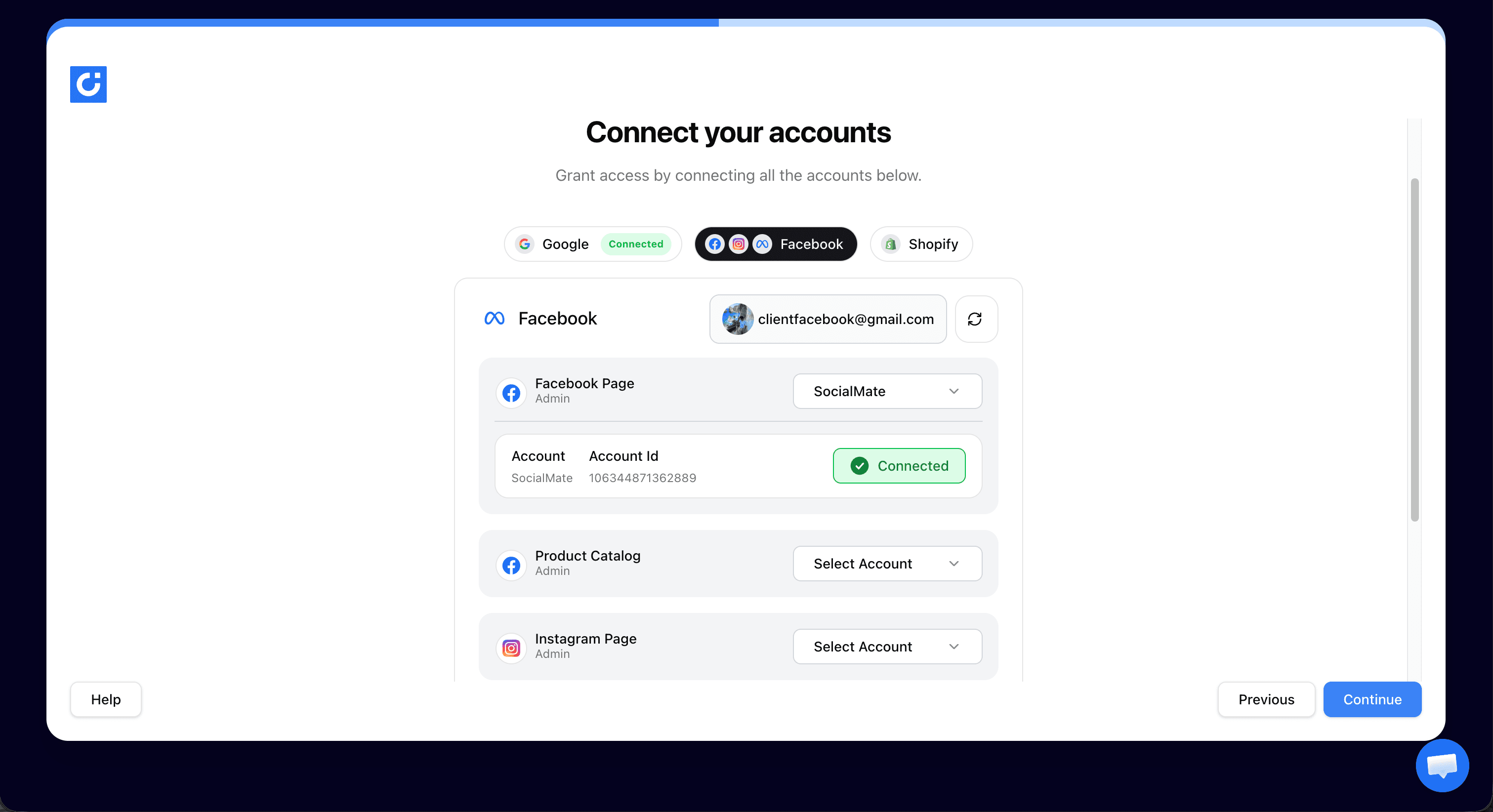
Leadsie vs ClientInvite comparison — the ClientInvite client onboarding screen

Branding & client experience

Your client onboarding experience is a direct reflection of your agency's professionalism. It's the first thing a new client does with you after signing — and if that first thing is a generic third-party screen, you've handed your first impression to someone else's brand.

Both tools let you add your logo. The difference is how far you can go from there. On Leadsie you customize your logo and brand colors. On ClientInvite you control the logo, the component colors, the welcome copy your client reads, an optional GIF, and which elements show at all — so the page reads like your agency wrote it. A performance agency might greet clients with: "Welcome aboard! Two minutes from now we'll have everything we need to start scaling your ads — click the platforms below and you're done."

Small thing? Maybe. But onboarding is the moment a client decides whether they made the right call hiring you. Making it feel effortless and on-brand is the cheapest retention win available.

Switching from Leadsie: what actually happens

The biggest worry agencies have about switching is losing access to existing clients. Here's the thing: the access your clients granted through Leadsie doesn't live inside Leadsie. It lives in Meta Business Manager, Google, and Shopify — in the platforms themselves. Cancelling Leadsie breaks nothing and disconnects nobody.

Switching takes three steps:

  1. Create a ClientInvite account (the 14-day trial needs no credit card).
  2. Build your branded link — add your logo, colors and welcome copy.
  3. Send it to your next new client. That's it — no data migration, no exports.

You can even run both tools in parallel during the trial: keep Leadsie for the month you've already paid for, onboard your next client through ClientInvite, and compare the two experiences side by side before you commit.

Two things to check before you cancel: first, confirm your team members are added as people on the client assets you manage in Business Manager (they almost certainly already are — this is how access works, tool or no tool). Second, if you've banked rollover credits with Leadsie, use them on your remaining onboardings before the subscription ends, since they don't survive cancellation. Neither step involves your clients at all — from their side, nothing changes.

Security: how both tools handle access

Worth saying plainly: both ClientInvite and Leadsie handle access the right way. Neither tool ever sees or stores a client password. Access requests run through each platform's official permission system — Meta's Business Manager partner flow, Google's OAuth — over SSL, and the client approves exactly the assets and permission levels you requested.

Your client stays in control the whole time: they can see what they've granted and revoke it whenever they like, directly inside their own accounts. If security review is part of your agency's procurement, the ClientInvite security page covers our practices in detail.

When Leadsie might still be the right choice

An honest comparison cuts both ways. Leadsie is a good product, and there are cases where it's the better fit:

  • You're already on Leadsie, it's working, and your onboarding volume fits comfortably inside your credits.
  • You need access flows for platforms we don't cover yet — Leadsie supports WordPress, YouTube, Pinterest, X, HubSpot and Klaviyo alongside the core ad platforms.
  • You value the longer track record — Leadsie has been in this category since 2020 and effectively defined it.
  • Credit rollover suits you — if your volume is low and lumpy, banked credits can smooth it out.

That said, most agencies that switch to us do it for the same two reasons: the flat pricing is dramatically cheaper at any real volume, and the client-facing experience is more modern and more brandable. If those are your priorities, you'll likely land where they did.

Other Leadsie alternatives worth knowing about

ClientInvite isn't the only option, and a fair comparison should say so. If you're researching the whole category:

  • AgencyAccess — a newer entrant with unlimited-invite plans and detailed comparison content of its own; worth a look if you're price-shopping the whole market.
  • Admatic — another link-based access tool in the same space; check its current platform list against the accounts your agency actually manages.
  • MyDataNinja — positions access management alongside broader ad-tracking features; a different shape of product if you want reporting bundled in.

Where ClientInvite fits in that lineup: the lowest-cost unlimited plan in the category ($89/mo), a Shopify Partner/collaborator flow the others mostly lack, and the most customizable client-facing screen. Evaluate all of them — we're confident about where that lands.

ClientInvite mascot illustration
Why wait any longer?

Save with ClientInvite

Same great features, and more, but at a fraction of the cost with a better user experience.

51% Cheaper Monthly Plan
Modern Onboarding Screen
Unlimited Monthly Connections
Customizable For Your Brand
ClientInvite demo video thumbnail

Still can't decide?

See it in action

Simple

Get started in minutes and showcase your branding

Sign up to ClientInvite, select the accounts you want to gain access to and create an access link for your client.

Supports Facebook, Google
View / Manage Access
Customizable Branding
Explore thumbnail

Explore

See it in action

Get started in minutes and showcase your branding
Secure

Share the access link with your client

Share the access link with your client via email, Slack, or anywhere else. SSL encryption guarantees that all data shared is secure.

100% secure and user-friendly process
No client passwords stored, ever
The client can revoke access at any time
Explore thumbnail

Explore

See it in action

Share the access link with your client
Smooth

They grant you access in minutes, automatically

Your clients can automatically grant you access to their accounts with the correct permissions in just a few clicks.

Stupid-Simple
Automated Access
Feels Like Magic
Explore thumbnail

Explore

See it in action

They grant you access in minutes, automatically

Leadsie Alternative FAQ

Yes — ClientInvite does the same core job: you send one branded link, your client approves it, and you get access to their Meta, Google, Shopify and LinkedIn accounts. The difference is price (from $29/month vs $59/month), a flat plan instead of per-client credits, a more modern onboarding screen, and deeper branding customization.

Leadsie's cheapest plan is $59/month billed monthly, while ClientInvite starts at $29/month — about 51% less. The gap grows at scale: Leadsie's largest plan is $299/month and still caps you at 30 onboarding credits, while ClientInvite's Agency plan is $89/month with genuinely unlimited connections.

Facebook and Meta assets (ad accounts, Pages, Pixels, Catalogs, Instagram), Google (Ads, Analytics, Tag Manager, Search Console, Merchant Center, Business Profile), Shopify including collaborator access, and LinkedIn. Influencer whitelisting is supported for Meta assets.

See every platform you can request access to

No. There is nothing to migrate — access your clients already granted lives in your Business Manager and ad platforms, not in Leadsie, so nothing breaks when you cancel. You create a ClientInvite account, generate your link, and send it to your next client. Setup takes a few minutes.

No. Your client clicks your link, logs into their own Facebook or Google account, and approves the access request. No passwords are ever shared or stored, and the client can revoke access at any time.

No — Leadsie offers a 14-day free trial rather than a free plan, with paid plans starting at $59/month. ClientInvite also offers a 14-day free trial with no credit card required, with paid plans from $29/month.

Yes. ClientInvite supports influencer whitelisting for Meta assets — creators approve your access request through the same one-link flow your clients use.

Read the influencer whitelisting guide

Yes. The Agency plan includes webhooks (a connection.completed event fires the moment a client grants access) and a read-only REST API, so you can pipe new connections into Slack, your CRM, or any automation tool.

Read the API & webhooks documentation

Logo
ClientInvite

Essential for Agencies

A tool that every agency should keep in their toolkit. Built to do one job, and do it extremely well.

Activity